ASUS ROG Strix GS-BE12000 Review: 12 Gbps Tri-Band WiFi 7 Gaming Router
8.7/ 10
Buy it when the router is the hub of a multi-gig gaming network.
- Seven 2.5G LAN ports, including a dedicated gaming port
- Tri-band WiFi 7 with 6 GHz, MLO, and AiMesh
- Overkill on gigabit internet or without WiFi 7 clients
- 6 GHz radio is 2x2, and there is no 10GbE port
Introduction
Shopping for something like the ASUS ROG Strix GS-BE12000 Tri-Band WiFi 7 Gaming Router usually comes down to a few practical questions: how well it works, where it compromises, and who it makes sense for. I break that down here, and the vendor's baseline specs are on the official product page. If you do not need the gaming software layer, the ASUS RT-BE90U is the non-gaming tri-band alternative, and Which WiFi 7 Router Is Best for You? covers the whole range.
What This Product Is and Who It's For
The ASUS ROG Strix GS-BE12000 is a high-end tri-band WiFi 7 gaming router built for homes that need more than basic wireless coverage. It combines the newer 6 GHz WiFi 7 band, multi-link operation, 320 MHz channel support, 4K-QAM, a large number of 2.5GbE ports, and gaming-focused traffic-prioritization features.
This type of router makes the most sense for buyers with demanding networks: multi-gig internet service, wired gaming PCs or consoles, WiFi 7 phones or laptops, NAS devices, heavy simultaneous streaming, and latency-sensitive gaming. It is less compelling for smaller homes, slower broadband plans, or households mostly using older WiFi 5 and WiFi 6 devices.
Quick Specs
| Feature | ASUS ROG Strix GS-BE12000 |
|---|---|
| WiFi standard | WiFi 7 / 802.11be |
| Bands | Tri-band: 2.4 GHz, 5 GHz, 6 GHz |
| Rated wireless speed | Up to BE12000-class total: 688 Mbps + 5764 Mbps + 5764 Mbps |
| 2.4 GHz | 2x2, up to 688 Mbps |
| 5 GHz | 4x4, up to 5764 Mbps |
| 6 GHz | 2x2, up to 5764 Mbps |
| WiFi 7 features | 320 MHz channels on 6 GHz, 4096-QAM, MLO |
| Processor / memory | 2.0 GHz quad-core CPU, 2 GB DDR4 RAM |
| Storage | 256 MB flash |
| Antennas | Eight internal antennas |
| Wired ports | 1x 2.5G WAN, 7x 2.5G LAN |
| Gaming LAN port | Yes, one dedicated gaming port |
| Claimed wired capacity | Up to 20G total |
| USB | 1x USB 3.2 Gen 1 |
| Mesh support | AiMesh router or node |
| Security features | AiProtection Pro, guest network, parental controls, VPN support |
| Smart network features | Smart Home Master profiles for IoT, Kids, VPN, and MLO SSIDs |
| Lighting | Customizable Aura RGB |
| Claimed coverage | Up to 3,000 sq. ft. |
| Dimensions | Approx. 225 x 90 x 225 mm |
| Weight | Approx. 928 g |
| Warranty | 3 years |
Design and Hardware
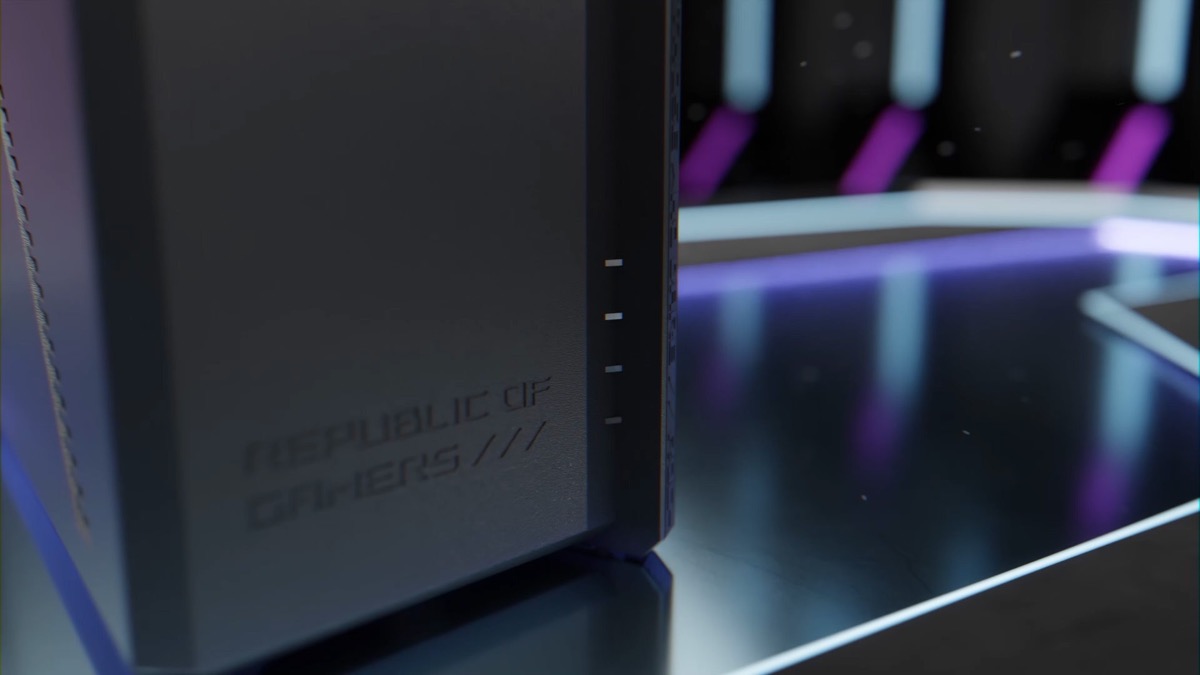
The ROG Strix GS-BE12000 is physically and functionally positioned as a flagship gaming router. It is not a compact plug-and-forget unit: at roughly 225 x 90 x 225 mm and about 928 g, it has a substantial footprint and a design language aimed at gaming setups, including customizable Aura RGB lighting.
Internally, ASUS pairs a 2.0 GHz quad-core processor with 2 GB of DDR4 memory and 256 MB of flash. That is a strong hardware foundation for a router handling multi-gig routing, multiple SSIDs, QoS, VPN features, security filtering, and mesh duties. The router uses eight internal antennas, with six using copper-tube technology, and ten high-power front-end modules. ASUS also highlights a dual-sided “Slash PCB” cooling design, which matters because WiFi 7 routers can generate significant heat under load.
The design is clearly built around performance and thermal headroom rather than minimalism. If you want a router that disappears on a shelf, this is probably not it. If you want a central networking hub with gaming aesthetics and lots of wired expansion, the hardware is much more aligned with that role.
Wireless Performance and WiFi 7 Features
The GS-BE12000 is a tri-band WiFi 7 router with rated wireless segmentation of 688 Mbps on 2.4 GHz, 5764 Mbps on 5 GHz, and 5764 Mbps on 6 GHz. As always, these are theoretical link-rate figures, not real-world internet speeds. Actual throughput depends on client device support, distance, interference, wall materials, channel width, firmware behavior, and whether your broadband or local network can feed the router fast enough.
The most important wireless upgrade here is the 6 GHz band with 320 MHz channel support. For compatible WiFi 7 devices, 6 GHz can provide cleaner spectrum and higher peak throughput than crowded 2.4 GHz and 5 GHz environments. The router also supports 4096-QAM and MLO, both central WiFi 7 technologies. MLO is especially relevant for latency-sensitive use because compatible devices can use multiple bands more flexibly, though benefits depend heavily on client support.
One notable asymmetry is the radio configuration: the 5 GHz band is 4x4, while the 6 GHz band is listed as 2x2. That does not make the 6 GHz band weak, but it does mean buyers should not assume every band has the same spatial-stream capacity. For many modern phones and laptops, 2x2 is typical, so this may not be a real limitation in practice. For more complex households with many high-end clients, the 4x4 5 GHz radio remains important.
ASUS claims coverage up to 3,000 sq. ft. That figure should be treated as an idealized estimate. Large homes with dense walls, multi-floor layouts, or difficult router placement may still benefit from AiMesh expansion.
Wired Networking
The wired configuration is one of the strongest reasons to choose the GS-BE12000 over more ordinary WiFi 7 routers. It includes one 2.5G WAN port and seven 2.5G LAN ports, for a claimed combined wired capacity of up to 20G. One of those LAN ports is designated as a gaming port.
This port layout is unusually generous for a consumer gaming router. It allows a multi-gig modem or fiber ONT, plus multiple fast wired clients such as a gaming PC, console, NAS, desktop workstation, mini server, or 2.5GbE switch without immediately needing extra hardware.
The main limitation is that the ports are 2.5GbE rather than 10GbE. For most homes, 2.5GbE is the more practical sweet spot. But if you are building around 10GbE storage or workstation workflows, this router is not a full replacement for a higher-end wired switch.
Gaming Features
Gaming is the router’s core identity. ASUS includes several ROG-focused features:
- ROG Gaming Network with one-tap SSID game acceleration
- Triple-Level Game Acceleration
- Adaptive QoS
- OpenNAT
- Auto-MLO
- Mobile Game Mode
- ROG First
- Dedicated gaming LAN port
The practical value is that the router gives gamers multiple ways to prioritize latency-sensitive traffic. Adaptive QoS can help when a network is congested by downloads, streaming, cloud backups, or other users. OpenNAT is useful for simplifying port-forwarding scenarios. Mobile Game Mode is relevant if you play on a phone or tablet over WiFi rather than Ethernet.
These features are most useful when your home network is actually under load. If you are the only user on a fast connection and your gaming device is already wired, the gains may be modest. But in a busy household, traffic management can be more useful than raw peak speed.
Mesh, Guest Networks, and Smart Home Use
AiMesh support gives the GS-BE12000 flexibility: it can operate as the main router or as a mesh node in a broader ASUS network. That matters if the claimed coverage is not enough for your home or if you want to extend coverage without switching ecosystems.
Smart Home Master is another practical feature. It can create separate SSIDs for IoT, kids, VPN, and MLO use cases. This is useful because not every device belongs on the same network. Older smart home devices may work better on a simplified IoT network, while kids’ devices can be grouped with parental controls, and VPN routing can be isolated to a specific SSID.
Guest networking and parental controls are also included, making the router more than just a gaming box. It can serve as the main household router for a family network with mixed needs.
Security: Attack Surface
Because this is a full home gateway, the attack surface is meaningful. The router handles internet routing, WiFi authentication, local administration, firmware updates, USB storage or device sharing, VPN features, guest networks, and optional mesh behavior. Any device in this role needs to be maintained carefully.
ASUS includes subscription-free AiProtection Pro, described as “Triple-Level Network Security,” along with guest networking, parental controls, and VPN support. These are valuable baseline protections, especially for blocking known threats and segmenting less-trusted devices. The ability to isolate IoT devices on a separate SSID is particularly important because smart home hardware often receives inconsistent security updates.
Still, built-in security features do not remove the need for basic router hygiene:
- Install firmware updates promptly.
- Use a strong administrator password.
- Avoid exposing remote administration unless it is truly needed.
- Use WPA3 where client compatibility allows.
- Keep IoT devices separated from primary PCs and phones.
- Disable unused services, including VPN or USB sharing if you do not use them.
- Review guest and kids’ networks periodically so old devices are not left connected indefinitely.
The GS-BE12000 gives buyers a strong set of tools, but the safest configuration depends on using segmentation and updates rather than treating the router as a set-and-forget appliance.
Pros
- Tri-band WiFi 7 with 2.4 GHz, 5 GHz, and 6 GHz bands.
- Supports major WiFi 7 features including 320 MHz channels, 4096-QAM, and MLO.
- Strong wired layout with one 2.5G WAN and seven 2.5G LAN ports.
- Dedicated gaming LAN port.
- Gaming-focused features including Adaptive QoS, OpenNAT, Mobile Game Mode, ROG First, and ROG Gaming Network.
- AiMesh support for router or mesh-node use.
- Smart Home Master SSIDs make it easier to separate IoT, kids, VPN, and MLO devices.
- Subscription-free AiProtection Pro.
- Hardware platform includes a quad-core CPU and 2 GB DDR4 RAM.
- USB 3.2 Gen 1 port adds local expansion options.
- Three-year warranty.
Cons
- Likely overkill for slower broadband plans or homes without WiFi 7 clients.
- Large physical footprint compared with simpler routers.
- Gaming design and RGB lighting will not suit every home.
- 6 GHz radio is 2x2, while 5 GHz is 4x4.
- No 10GbE port for users building around higher-end wired storage or workstation networks.
- Real-world WiFi performance will depend heavily on client compatibility, placement, interference, and home layout.
- The richest features require careful setup to get the most from segmentation, QoS, VPN, and gaming modes.
Who Should Buy
Buy the ASUS ROG Strix GS-BE12000 if you want a premium gaming router that can also serve as the central hub for a busy multi-gig home network. It is best suited to users with several wired devices, fast internet, modern WiFi 6E or WiFi 7 clients, and a real need for traffic prioritization.
It is also a strong fit for households that want to separate smart home gear, kids’ devices, guest access, VPN-connected devices, and performance-focused devices across different SSIDs. The combination of AiMesh, Smart Home Master, multiple 2.5GbE ports, and gaming acceleration gives it more flexibility than a basic WiFi 7 router.
When Not to Buy
Do not buy it if your internet service is well below gigabit speeds and your current router already covers your home reliably. Most of the GS-BE12000’s advantages come from multi-gig wired networking, WiFi 7 support, 6 GHz operation, and advanced traffic management.
Skip it if you need a compact, discreet router. This is a large ROG-branded unit with gaming styling and RGB.
It is also not the ideal choice if your priority is 10GbE wired networking. The router offers many 2.5GbE ports, which is excellent for mainstream multi-gig homes, but users with 10GbE NAS or workstation needs will still want dedicated 10GbE switching.
Finally, buyers with mostly older WiFi 5 or WiFi 6 devices may not see enough benefit to justify this class of router unless they are planning near-term device upgrades.
Final Verdict Rationale
The ASUS ROG Strix GS-BE12000 is a high-spec WiFi 7 gaming router with a rare combination of tri-band wireless, extensive 2.5GbE wired connectivity, gaming-specific prioritization, AiMesh support, and useful network segmentation tools. Its strongest advantage is balance: it is not just a fast wireless router, but also a capable wired hub for a demanding home network.
Its main weakness is that it only makes sense if your environment can use what it offers. Without multi-gig internet, several demanding clients, WiFi 7 devices, or a need for gaming traffic control, much of the hardware will sit underused. For the right buyer, though, it is a powerful flagship-class router with the port count and feature set to justify its place at the center of a serious gaming or smart-home network.
Where to Buy
Where to buy
Affiliate links — we may earn a commission. Prices and availability may change.